Better Benchmarks

We mentioned last week that we would be posting updated, more representative benchmarks with common features enabled. The headline numbers are in, and they're great!
We mentioned last week that we would be posting updated, more representative benchmarks with common features enabled. The headline numbers are in, and they're great!
As of today, v1.110.0, all routing in LiteLLM flows through a Rust core! The previous python code that implemented it is fully deleted, and we have one source of truth in the codebase. That includes all logic around retries, fallbacks, name resolution, deployment selection, etc. It was over 50k LOC deleted in the final swap.
Right now, LiteLLM users won't see a huge change, but the value will manifest when we have incredibly fast messages in December. Additionally, this refactor enabled us to create the , which is great for exploring routing configurations.
This post covers why we chose the Router to operate, and how we managed to migrate it safely without causing regressions.

LiteLLM now ships NVIDIA NeMo Switchyard's stage router as an auto-router strategy. Switchyard routes on the agent's tool trajectory rather than the prompt: the tools it invoked, how they failed and whether it is converging or retrying the same step. Each turn is steered to the model the session needs at that point in the task.
Coding agents have an uneven cost profile. Most of a task is exploration and incremental edits that an efficient model handles well. The expensive stretches are concentrated around failures, where the agent has to diagnose an error, revise its approach and verify the fix. Switchyard aligns model spend with that profile across Chat Completions, Anthropic Messages and Responses, so Claude Code, Codex and SDK-based agents adopt it without client changes.

 / AI GATEWAY
MODEL LIFECYCLE MANAGEMENT / NEW IN THE LITELLM UI
The LiteLLM UI now has alerts
for model deprecations.
This blog post is about how you can do model lifecycle management with LiteLLM AI Gateway. We are giving you the following primitives to better manage model deprecations.
We heard from a lot of our production gateway users that model deprecation was a problem: for production use cases, it's hard to figure out how to prevent outages.
This helps prevent outages with:
Check the notification bell for model deprecations that need attention. Open Alerts under Observability, then select Model deprecations. You can see the provider, the model, its deprecation date, requests in the last 30 days, and when LiteLLM last saw traffic to it.
Open the alert to investigate the migration across teams. You can keep the alert open while you coordinate with the owners, then return to the same page to check progress.
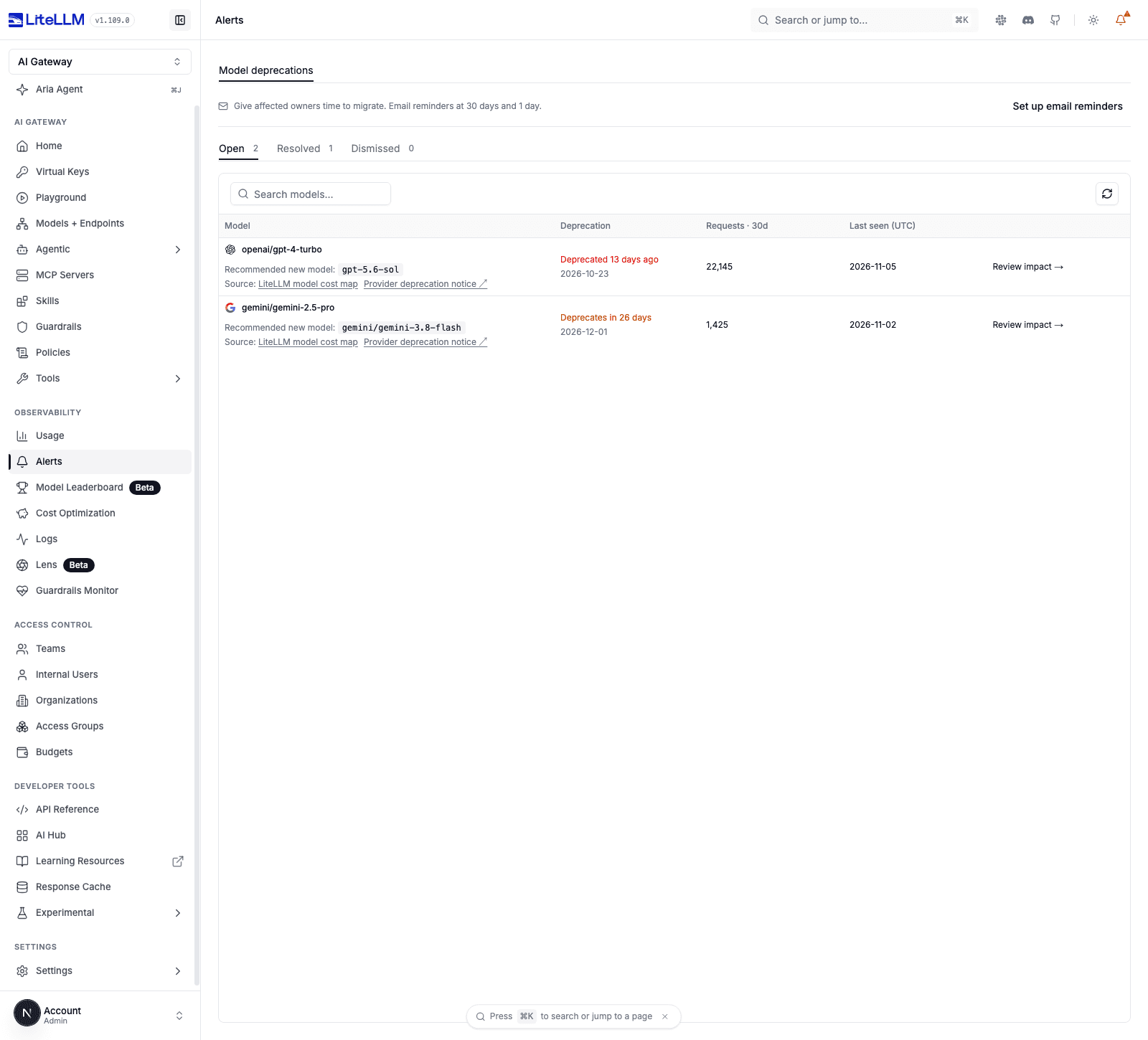
The Model deprecations inbox in the LiteLLM UI. Sample usage; the provider deadline and recommendation come from model metadata.
From the alert, click Set up email reminders, then Open Email Settings. This opens Logging & Alerts → Email Alerts.
If your gateway already sends email, keep its delivery settings. Otherwise, enter the SMTP connection details from your email provider in Email Server Settings. Set Gateway URL to the public address owners use to reach your gateway and save. Enter TEST_EMAIL_ADDRESS, select Test Email Alerts, and confirm that the test email arrives.
In Email Notifications, turn on Model Deprecations and select Save Changes. This event is off by default.
LiteLLM schedules two reminders: 30 days before and 1 day before the provider's deprecation date, checked in UTC. It selects affected key owners and current team admins using requests from the last 30 days. Each recipient sees usage for their keys and teams they administer.
The email names the provider deprecating the model, shows the current and recommended models with provider logos, and gives the owner the migration steps. It includes the recommendation source, the provider notice, and a link to review usage in the gateway.
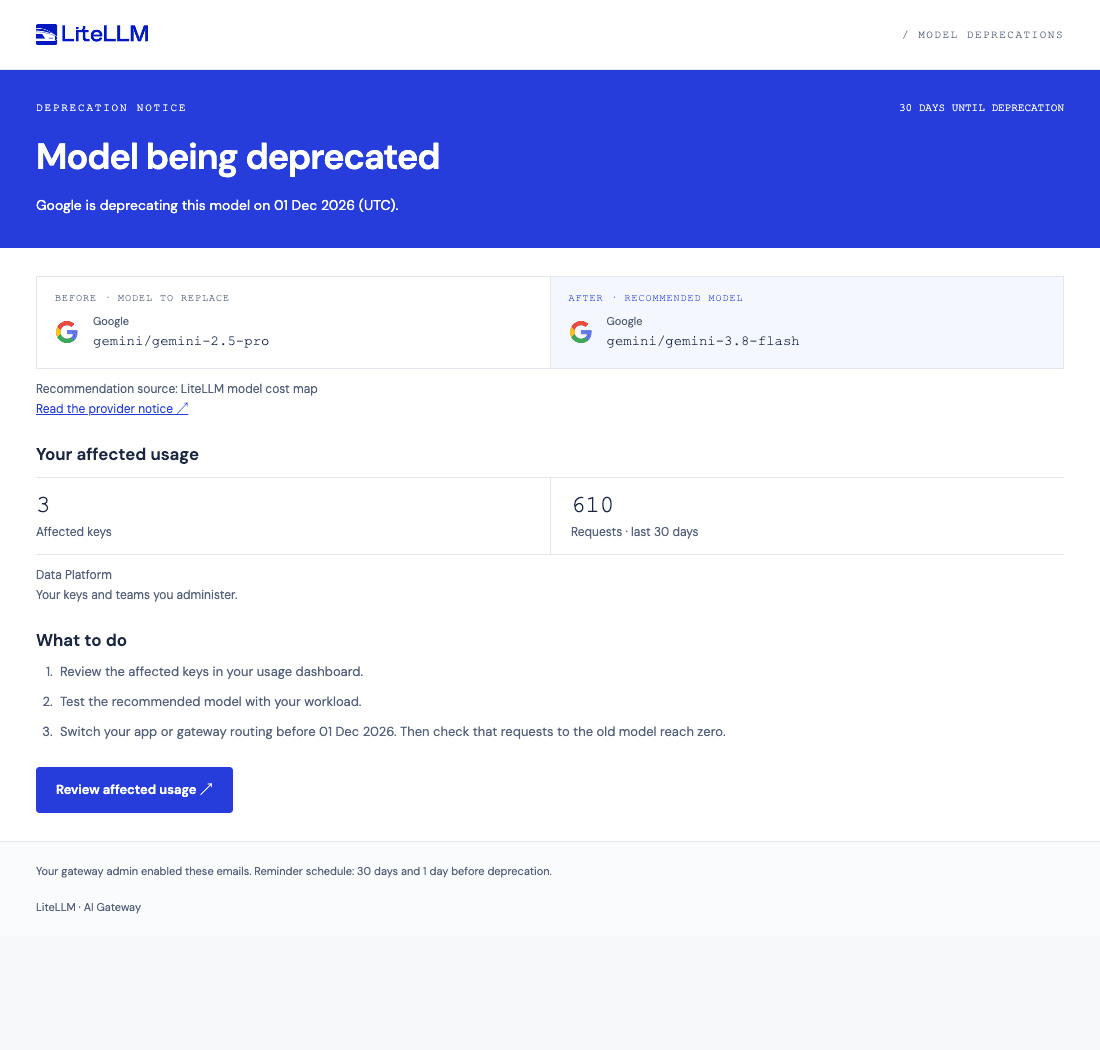
The 30-day email template with sample usage. Owners can see what changes, when they need to act, and where to review the affected traffic.
Keep the gateway running on the reminder dates. The scheduler does not send a missed reminder later if the gateway is offline for the entire UTC date.
Click Review impact to open the model. The Daily requests chart shows requests to that model over time, with a separate stack for each key. Compare the total bar height to check whether usage is falling, then inspect the colored stacks to find the keys that still send traffic.
Below the chart, inspect the affected keys, teams, owners, and tags used with that model. Filter by team when you need to coordinate one part of the migration. Use the key and owner list to follow up with the people responsible for each production use case.
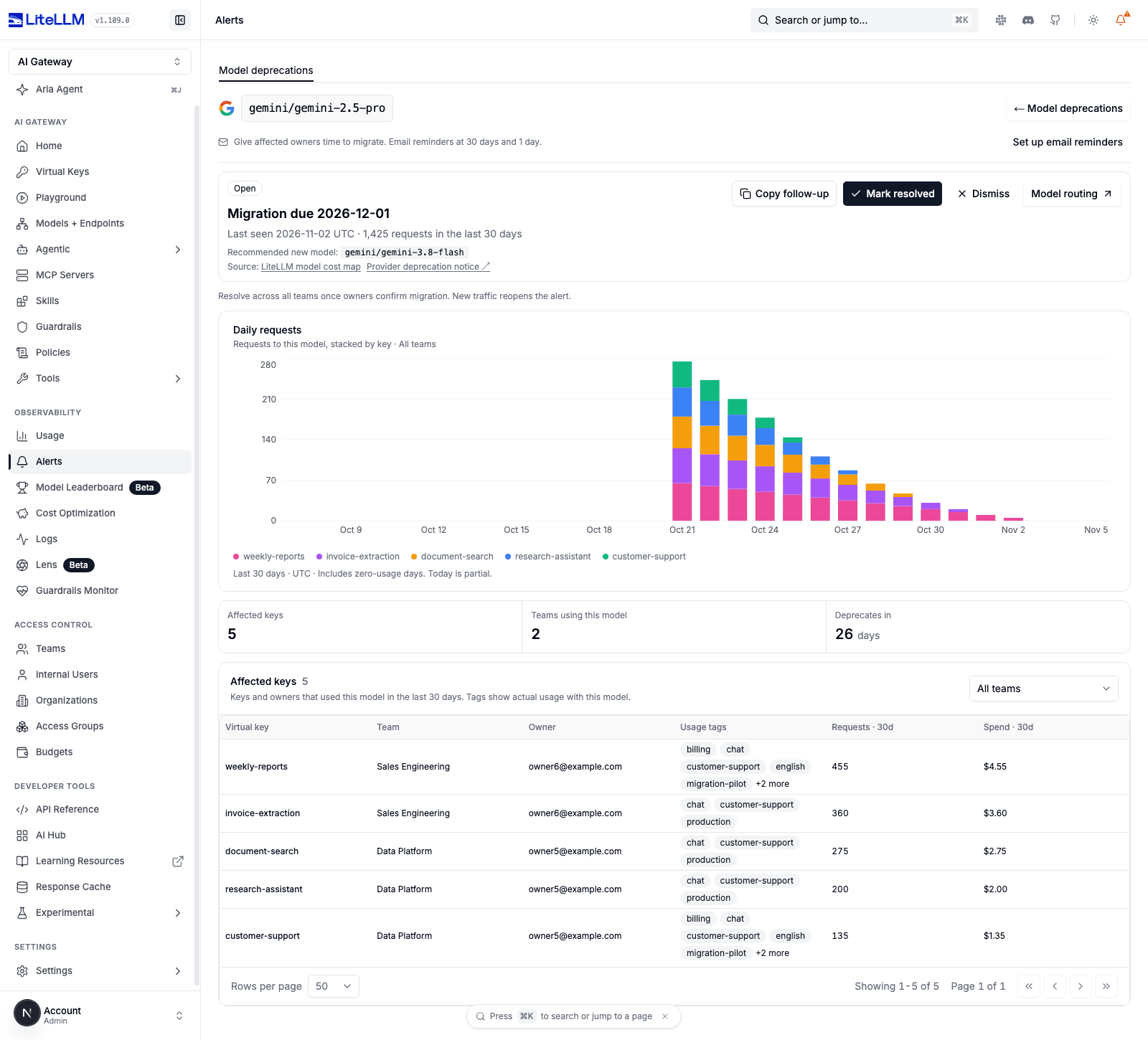
Actual LiteLLM UI with a seeded migration example: five use cases across two teams. Daily requests decline as the example keys move off the model. The final complete days show zero requests; the current day is partial.
You do not need to wait for the 30-day total to reach zero. That total includes historical requests. Compare the recent daily bars instead, and check a period that covers your use case. A weekly batch job needs a longer verification window than a service that sends requests every minute.
In this example, customer support, research, document search, invoice extraction, and weekly reports each have a key. As an owner migrates a use case, its color drops out of the daily bars. The key stays in the 30-day history so you can verify what changed.
The alert shows the model to replace and the Recommended new model. LiteLLM reads the recommendation from its model cost map, or from the deployment's configured replacement. The UI identifies which source supplied it and links to the upstream provider's deprecation notice when one is recorded.
Use the provider notice to check the upstream deadline and migration guidance. The cost map records the recommendation; it does not establish that the new model meets your application's quality, latency, or cost requirements. Test the replacement with the workload behind each affected key before switching production traffic.
You can use Model routing to open the relevant model configuration. If your application chooses the model, update that application. Keep the alert open while owners make these changes.
Return to Daily requests after the owners switch their applications or routing. Check that traffic to the old model reaches zero across the affected keys. Confirm the migration with owners of infrequent jobs before closing it.
Click Mark resolved when that work is complete. LiteLLM moves the alert to Resolved, so your open inbox shows the migrations that still need attention. New requests to the model reopen the alert.
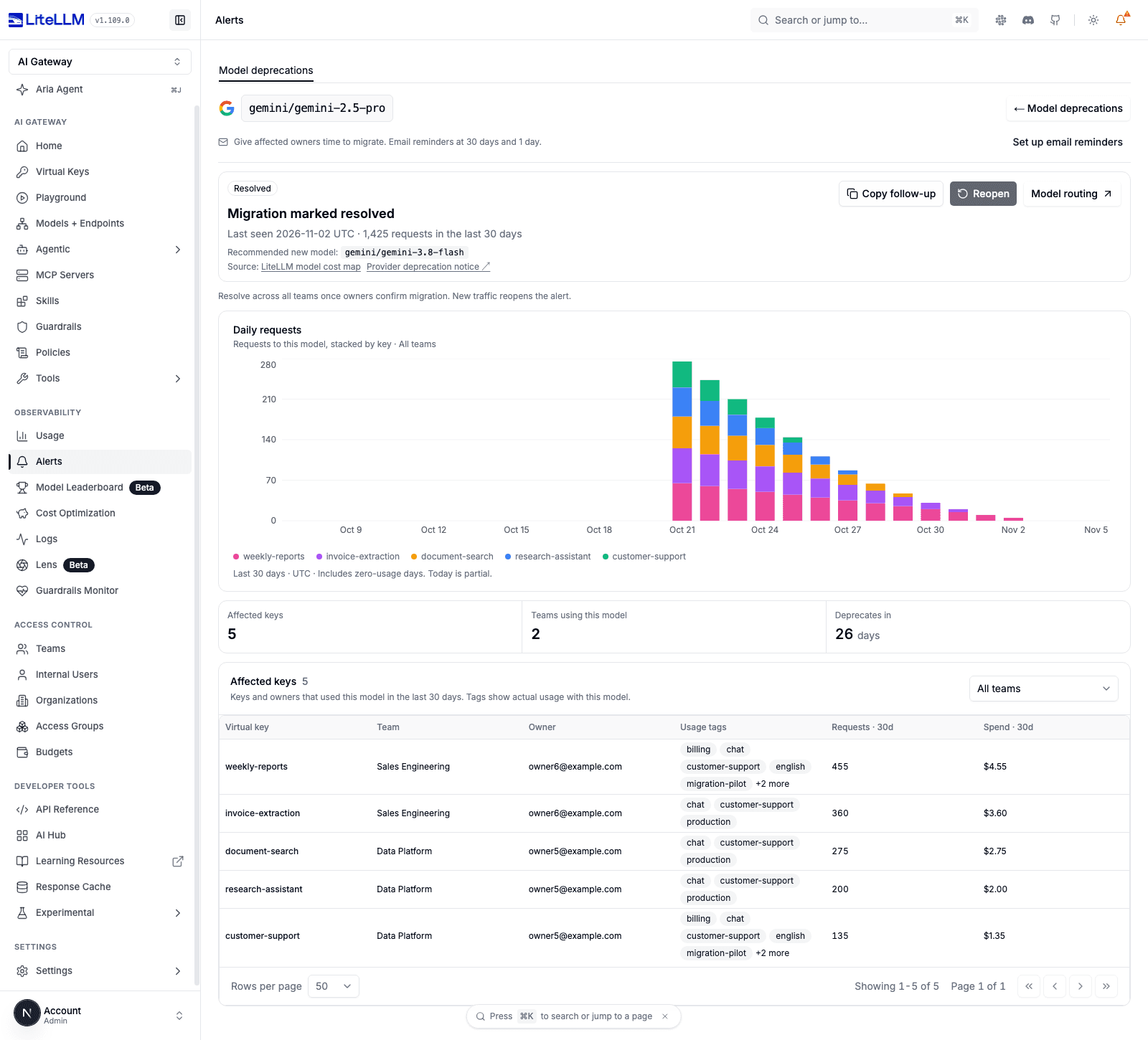
The same example migration after marking it resolved. Closing the alert records the team's decision; it does not change model routing.
For help operating LiteLLM across production teams and use cases, talk to us. Read more about gateway alerting, email notifications, and model routing.
/ AGENTSGrounding checks whether an answer is supported
by the documents you give it.
Employees receive a one-time home office equipment allowance of $500. Submit receipts within 30 days of purchase.
home-office WORKPLACE ASSISTANTRecorded fixture
You receive a one-time home office allowance of $500. Submit your receipts within 30 days of purchase.
The policy supports the allowance and receipt deadline.
source_ids: ["home-office"]trueBuild an agent that answers questions from your documents, then checks each answer against the evidence before showing it in chat.
We will connect to a LiteLLM gateway, load a policy, generate and check an answer, then display the grounding result. The Python snippets form one async request handler. Start with one document; connect your retriever once you can inspect the complete flow.
This guide uses the unreleased SDK helper #49469, native endpoint response #49460, and Bedrock assessment setting #49470, for issue #49217. Use that implementation for both your SDK and gateway until release. The template at the end pins the complete revision.
Configure your SDK once. Use your gateway URL and a virtual key with access to the agent model and grounding guardrail:
import osimport litellm
litellm.api_base = os.environ["LITELLM_API_BASE"]litellm.api_key = os.environ["LITELLM_API_KEY"]We use a model named agent on the gateway. The openai/ prefix below selects the OpenAI-compatible transport; the gateway can route agent to a model from another provider.
For the grounding check, use Amazon Bedrock Guardrails through LiteLLM. AWS maintains the assessment service, and you can use it with answers from other model providers. Add this to your gateway configuration:
guardrails: - guardrail_name: answer-grounding litellm_params: guardrail: bedrock mode: post_call default_on: false guardrailIdentifier: os.environ/BEDROCK_GUARDRAIL_ID guardrailVersion: os.environ/BEDROCK_GUARDRAIL_VERSION aws_region_name: os.environ/AWS_REGION_NAME contextual_grounding_from_messages: true outputScope: FULLCreate an AWS guardrail with contextual grounding enabled. For conversational answers, choose Standard tier and its required cross-Region inference profile. Set the AWS filter action to NONE so your application can receive an unsupported finding and decide what to display. Set outputScope: FULL in LiteLLM to receive supported assessments too. See AWS setup, filter actions, and full assessments.
default_on: false leaves this guardrail available for the explicit SDK call in step 3. You control when the check runs.
Start with a home office policy. Save this text as home-office.md:
Employees receive a one-time home office equipment allowance of $500.Submit receipts within 30 days of purchase.Load the policy and keep it with the question:
from pathlib import Path
question = "How much can I spend on my home office?"evidence = Path("home-office.md").read_text()
source_messages = [ {"role": "system", "content": evidence}, {"role": "user", "content": question},]Your agent and the grounding service must receive the same evidence. With contextual_grounding_from_messages: true, LiteLLM sends the system text to Bedrock as the grounding source and the user question as the query.
For your own documents, replace the file read with your retriever. Pass only documents the current user can access. Keep previous assistant answers out of the reference evidence.
Ask your model to answer from that evidence:
completion = await litellm.acompletion( model="openai/agent", messages=[ {"role": "system", "content": "Answer using only this policy:\n" + evidence}, {"role": "user", "content": question}, ],)answer = completion.choices[0].message.contentThen call the grounding guardrail with the answer and source messages:
native_result = await litellm.guardrails.apply( "answer-grounding", response=answer, messages=source_messages,)"answer-grounding" selects the configured guardrail. response=answer tells the SDK to check generated output; the SDK infers the direction. You do not need to provide an input type or a response-format flag.
The call returns the guardrail's native structured findings, after LiteLLM's existing reporting sanitization. For Bedrock, the grounding assessment looks like this illustrative excerpt:
{ "contextualGroundingPolicy": { "filters": [{ "type": "GROUNDING", "score": 0.98, "threshold": 0.7, "detected": false }] }}Bedrock compares the answer with the supplied evidence. It does not verify whether the source document itself is correct. Evaluate the check on supported, contradicted, and incomplete answers from your use case before using it to enforce policy.
Read the GROUNDING assessments. Require an assessment before showing a positive badge, and check the score against its configured threshold:
results = native_result if isinstance(native_result, list) else [native_result]checks_by_result = [ [check for assessment in result.get("assessments", []) for check in assessment.get("contextualGroundingPolicy", {}).get("filters", []) if check["type"] == "GROUNDING"] for result in results]
is_grounded = Noneif checks_by_result and all(checks_by_result): is_grounded = all( check["score"] >= check["threshold"] and not check.get("detected", False) for checks in checks_by_result for check in checks )Check all returned chunks. Do not infer success from Bedrock's overall action: a report-only guardrail can return NONE with a negative grounding finding.
Return the answer and verdict from your chat backend. In your chat component, show the result beside the answer:
export function GroundingBadge({grounded}) { if (grounded == null) { return <span>Grounding check unavailable</span>; }
return ( <span data-status={grounded ? "supported" : "unsupported"}> {grounded ? "Supported by your documents" : "Not supported"} </span> );}Show the source and the check's explanation.
is_grounded: trueExplain the gap or ask the agent to retry.
is_grounded: falseKeep this separate from a completed check.
no valid verdictA timeout, missing assessment, or invalid result should produce Check unavailable, with no green badge. The template below includes typed response validation and those failure states.
Bedrock evaluates the supplied documents together. Label the references Documents checked; its response does not attribute an answer to an individual document. For an unsupported answer, you can show the gap, retrieve more evidence, or withhold the answer. Wait for the check before rendering if your product gates delivery on the result.
You have the core flow: evidence, answer, grounding call, and a verdict beside the response. Use the template to get the complete chat UI, a tool-calling document agent, and validated result handling in a separate repository.
git clone https://github.com/BerriAI/litellm-grounded-agent-starter.gitcd litellm-grounded-agent-starteruv syncuv run grounded-agent-demoOpen localhost:8502. Choose Home office allowance for a supported answer, or Check an unsupported answer to see a negative verdict. This local demo uses fixed model and judge responses, labelled in the UI, so you can exercise the SDK, gateway, and chat without provider credentials.
For a live deployment, follow the template's Bedrock setup, replace the included documents with your retriever, and connect your models. The launcher supports local development; deploy the gateway and chat app with your platform's normal service configuration. Add sign-in and document authorization before sharing the app with coworkers. Live AWS execution remains unverified in this example; the template tests its adapter with representative responses.
Give your agent and grounding guardrail the same evidence. Call litellm.guardrails.apply after the answer exists, read the provider's assessment, and keep supported, unsupported, and failed checks distinct in your UI.
Yes. Keep your framework and evaluation logic. Replace the answer-generation snippet with your agent's final answer, call litellm.guardrails.apply, and read your guardrail's result schema.
The SDK invokes your configured guardrail. Bedrock evaluates the supplied answer. A custom LLM judge makes an evaluation request; it does not regenerate the agent's answer to obtain the verdict.
The SDK changes and template are open source. Use the linked implementation revision for both the SDK and AI Gateway until release. LiteLLM Enterprise adds controls and support for production deployments.
Call a guardrail directly, configure Bedrock grounding, and write a custom guardrail.
Accurate, reliable AI spend tracking at scale.
A spend total should be a number you can act on. You use it to set budgets and decide whether a workload is worth scaling. That confidence depends on the accounting behind it, especially when requests retry or a reporting update gets interrupted.
We’re rebuilding that accounting in LiteLLM. The Unified Cost Accounting Engine gives each finalized charge a durable record that budget enforcement and reporting can share. It also changes how we can scale spend processing, and how you can use that data in your own analytics stack.

Refuseless and Abliteration.
Through your LiteLLM gateway.
Abliterated models from Refuseless and Abliteration are now available through LiteLLM.
Call them through the same gateway as your other models, with streaming, tool calls, structured output, and cached-token pricing. Your configured access controls, budgets, and rate limits still apply.
Abliteration modifies the weights of an open-weight model to reduce its learned refusal behavior. Developers identify directions in the model's internal representations associated with refusal, then suppress those directions.
Arditi and colleagues demonstrated this in 13 chat models in 2024. Hosted providers may use different methods. Reducing refusals can also change answer quality, so evaluate the modified model on the tasks you want it to perform.
You can use these models for security research, red-teaming, and other workflows where a standard chat model refuses prompts you need to explore. The provider hosts the modified weights; LiteLLM connects your application to its API.
Refuseless serves three abliterated GLM and DeepSeek models, plus two models with original weights. Use the refuseless/ prefix in LiteLLM.
| Model | Input | Cached input | Output |
|---|---|---|---|
GLM 5.3glm-5.3-abliterated | $1.25 | $0.25 | $2.25 |
GLM 5.3 Flashglm-5.3-flash-abliterated | $0.25 | $0.15 | $0.80 |
DeepSeek V4.1 Flashdeepseek-v4.1-flash-abliterated | $0.22 | $0.045 | $0.75 |
DeepSeek V4.1 Flash FastOriginal weightsdeepseek-v4.1-flash-fast | $0.05 | $0.003 | $0.15 |
MiniMax M3.1 FlashOriginal weightsminimax-m3.1-flash | $0.05 | $0.002 | $0.25 |
Use the abliteration/ prefix. Large v2 is the recommended text model and always uses reasoning. The base and Large Flash models also accept images.
| Model | Input | Cached input | Output |
|---|---|---|---|
Baseabliterated-model | $1.00 | $0.10 | $3.00 |
Large v2abliterated-model-large-v2 | $3.00 | $0.30 | $5.00 |
Large Flashabliterated-model-large-flash | $1.00 | $0.10 | $2.00 |
Published rates as of October 26, 2026, before account discounts or separate charges such as web search. See the Refuseless and Abliteration guides for context limits, reasoning options, and the full model catalogs.
Create a key with Refuseless or Abliteration. Set the matching REFUSELESS_API_KEY or ABLITERATION_API_KEY environment variable on your LiteLLM gateway.
Add either or both deployments to your existing model_list, keeping your gateway's authentication settings.
model_list:
  - model_name: refuseless-chat
    litellm_params:
      model: refuseless/glm-5.3-abliterated
      api_key: os.environ/REFUSELESS_API_KEY

  - model_name: abliteration-chat
    litellm_params:
      model: abliteration/abliterated-model-large-v2
      api_key: os.environ/ABLITERATION_API_KEY
Restart the gateway. Set LITELLM_BASE_URL to its base URL without a trailing slash and LITELLM_API_KEY to a key with access to the deployment. Then send a request:
curl "$LITELLM_BASE_URL/v1/chat/completions" \
  -H "Authorization: Bearer $LITELLM_API_KEY" \
  -H "Content-Type: application/json" \
  -d '{
    "model": "refuseless-chat",
    "messages": [{"role": "user", "content": "Explain how DNS works."}],
    "reasoning_effort": "low"
  }'
The response includes the answer in choices[0].message.content and token counts in usage. To call Abliteration, change model to abliteration-chat.
Starting a new gateway or using the Python SDK? Follow the Refuseless guide or Abliteration guide.
The Rust migration is being slightly rerouted to get the largest performance improvements to the largest portion of requests as quickly as possible. We will be focusing on /v1/messages requests to providers which natively support Anthropic-style APIs, with the most common set of proxy features enabled. By December 1st, you can expect the proxy to handle these requests with common configurations with about 20x less latency.
Send text to vLLM or Watsonx through one LiteLLM tokenization interface. Your app passes a model name, such as llama-3.1-8b, and a prompt to /tokenize. Configure the provider URL and credentials in your gateway.
Choose another configured model by changing model; keep the same endpoint and JSON fields. Read the token count, numeric IDs and token strings where the provider supplies them. LiteLLM runs the provider integration in Rust and reuses shared HTTP clients.
To run the examples, use a build containing PR #48079 and its compiled Rust extension. Use token counting for context limits and input cost estimates. Choose /tokenize to inspect a text string’s token list or compare tokenizer settings across deployments.
OCTOBER 2026One API for
vLLM + Watsonx
Choose a model. Inspect your prompt’s tokens through the same API for vLLM and Watsonx.
{
  "model": "meta-llama/Llama-3.1-8B-Instruct",
  "count": 2,
  "token_ids": [101, 102],
  "tokens": ["Hello", " world"]
}
token_ids: null./utils/token_counter to check context limits or estimate input cost./tokenize to inspect token text and available IDs. Find why a URL takes so many tokens, or check for tokenizer changes after a vLLM rollout.Pick a model below and watch the model field change. Send the same JSON fields to the same endpoint for either provider.
POST /tokenize{
"model": "llama-3.1-8b",
"prompt": "Hello world"
}
model matches model_name in your gateway config. This request calls vLLM.
{
  "model": "meta-llama/Llama-3.1-8B-Instruct",
  "count": 2,
  "token_ids": [101, 102],
  "tokens": ["Hello", " world"]
}
model to choose another configured model. Keep the same endpoint and JSON fields across providers.llama-3.1-8b on vLLM selected. The request model is llama-3.1-8b.To choose between models on each call, give each one a different model_name in your gateway config, then send that name in model. Use a name your API key can access. To change providers without a client update, keep the alias and change its provider configuration.
A tokenizer splits text into pieces called tokens. Each piece has an entry in that tokenizer’s vocabulary, with a number called its token ID. Click either piece below to follow the lookup.
The second piece includes the space before “world”.
| Token text | Token ID |
|---|---|
| "Hello" | 101 |
| " world" | 102 |
Count: 2 tokens. Count the entries in the list. The numbers 101 and 102 identify those entries.
You selected "Hello". Look up that piece in the vocabulary to get ID 101, then put it in position 1 of the output list.
Models calculate with numbers. When you send a prompt for inference, the model uses each token ID to look up a learned vector: a list of numbers that represents that token. It processes those vectors to predict the next token. A /tokenize call stops at the token list; it does not generate a reply.
These IDs are made up to show the lookup. Your tokenizer can split the text differently and use different numbers. An ID only makes sense with its matching vocabulary. vLLM returns IDs; Watsonx returns token text with token_ids: null.
Rust handles authentication, provider requests and response translation. We measured the SDK’s native request path against a local test server.
Animation illustrates the path, not request timing.
Public async SDK calls through the vLLM adapter with a fixed two-token response. Includes the Python/Rust bridge, loopback HTTP and response translation. Excludes real token computation, internet latency and the proxy server.
Apple M4 Max, macOS 15.5, Python 3.12.13. Optimized Rust release build at 5f68bf4.
4,096 requests per trial, 3 trials per concurrency level, after 256 warmup calls. We show the trial with median throughput and that trial’s latency percentiles. Workers start their next call after the previous call completes.
Read the raw measurementsChoose a provider and copy the setup. Use a gateway alias to keep provider configuration out of your client.
Use a model available on your vLLM deployment and set the environment variables below; omit api_key if your vLLM server does not require it.
model_list:
  - model_name: llama-3.1-8b
    litellm_params:
      model: hosted_vllm/meta-llama/Llama-3.1-8B-Instruct
      api_base: os.environ/HOSTED_VLLM_API_BASE
      api_key: os.environ/HOSTED_VLLM_API_KEY

general_settings:
  master_key: os.environ/LITELLM_MASTER_KEY
curl http://localhost:4000/tokenize \
  --fail-with-body \
  -H "Authorization: Bearer $LITELLM_MASTER_KEY" \
  -H "Content-Type: application/json" \
  -d '{
    "model": "llama-3.1-8b",
    "prompt": "Hello world"
  }'
Start with litellm --config config.yaml --port 4000. Change the provider configuration and restart to use the same alias with another provider.
Keep your parsing code when you switch providers. Token values and counts depend on the model; numeric IDs do not transfer between tokenizers.
| Provider | Count | Numeric token IDs | Token strings |
|---|---|---|---|
| vLLM | Returned | Returned | When supplied by the server |
| Watsonx | Returned | null | Returned by default |
Both /tokenize and /v1/tokenize return model, count, token_ids and tokens. Send one text prompt per call. For count-only workflows, see token counting.
PREVIEW / OCTOBER 2026Decision models
for reranking
Turn Perplexity and TypeSafe decision models into rerankers. Keep your query, your documents and your LiteLLM endpoint.
JevRank builds on the decision-model reranking research of Jakob Gruber at Swietelsky AG.
 TypeSafe Jev
 Perplexity
query, documents[]02 / TRANSFORMJevRankprobabilities → scores03 / OUTPUTRanked passagesindex, relevance_scoreIn a SciFact reference benchmark, Perplexity Flash and Cohere Rerank 4 Pro both scored 0.775 nDCG@10. Their projected costs were $73 versus $2,500 per million queries, about 34× lower for Flash.
| Model Method and result origin | Ranking quality nDCG@10 · higher is better | Reranking cost USD / 1M queries · lower is better |
|---|---|---|
Perplexity Decider Flash v1.2 (JevRank)Lowest reference costMultiple choice Reference | nDCG at 10: Quality ↑0.775 | Projected reranking cost per million queries: Cost / 1M queries ↓$73 |
Perplexity Decider v1.2 (JevRank)Multiple choice Reference | nDCG at 10: Quality ↑0.777 | Projected reranking cost per million queries: Cost / 1M queries ↓$146 |
TypeSafe Jev 1.14 (JevRank)Per document Reference | nDCG at 10: Quality ↑0.776 | Projected reranking cost per million queries: Cost / 1M queries ↓≈$580 |
 Cohere Rerank 4 ProRerank API Reference | nDCG at 10: Quality ↑0.775 | Projected reranking cost per million queries: Cost / 1M queries ↓$2,500 |
SciFact · 300 queries · 20 candidates · October 2026. Reference results via OpenRouter. Flash costs $73 versus Cohere Pro’s $2,500 per million queries, about 34× lower. These are reference results, not our LiteLLM run.
Costs exclude gateway overhead; Jev 1.14 is projected from a rounded per-1K cost. Small score gaps do not establish a quality win.
We ran 6,000 document decisions through LiteLLM with Jev 1.13.0. On the same BM25 candidates, nDCG@10 improved from 0.686 to 0.768, at an estimated $0.575 per 1,000 queries.
All 300 queries completed. We measured 0.50 s median latency and 1.15 s at p95, with eight calls in flight per query. Jev placed a relevant document first for 68% of queries, compared with 55% for BM25.
| Model Method and result origin | Ranking quality nDCG@10 · higher is better | Reranking cost USD / 1M queries · lower is better |
|---|---|---|
TypeSafe Jev 1.13.0 (JevRank)Per document LiteLLM run | nDCG at 10: Quality ↑0.768 | Projected reranking cost per million queries: Cost / 1M queries ↓≈$575 |
BM25Local retrieval LiteLLM run | nDCG at 10: Quality ↑0.686 | Projected reranking cost per million queries: Cost / 1M queries ↓No rerank calls |
SciFact · 300 queries · 20 BM25 candidates per query. Measured through LiteLLM. Jev’s cost is estimated from reported tokens and excludes gateway overhead. BM25 adds no reranking calls.
The reference run’s retrieval settings and candidate identity were not verified to match this run.
| Model and method | Origin | nDCG@10 | Cost / 1M |
|---|---|---|---|
| Perplexity Decider Flash v1.2 (JevRank)Multiple choice | Reference | 0.775 | $73 |
| Perplexity Decider v1.2 (JevRank)Multiple choice | Reference | 0.777 | $146 |
| TypeSafe Jev 1.14 (JevRank)Per document | Reference | 0.776 | ≈$580 |
| Cohere Rerank 4 ProRerank API | Reference | 0.775 | $2,500 |
| TypeSafe Jev 1.13.0 (JevRank)Per document | LiteLLM run | 0.7676260618846087 | ≈$575.39426 |
| BM25Local retrieval | LiteLLM run | 0.6863002612489066 | No rerank calls |
Both axes start at zero. Lines connect labels to their actual data points. Reference and measured candidate protocols may differ. BM25 has no reranking calls; retrieval itself is not asserted to be free.
Reference results via OpenRouter; solid points are our LiteLLM run. Costs exclude gateway overhead. The 34× comparison applies only to reference Flash versus reference Cohere Pro; nearby scores do not establish a quality win.
Explore three saved queries, including an improvement, an unchanged first result and a regression. The scores come from our benchmark. These controls make no model calls.
Localization of PIN1 in the roots of Arabidopsis does not require VPS9a
Plants, compared to animals, exhibit an amazing adaptability and plasticity in their development. This is largely dependent on the ability of plants to form new organs, such as lateral roots, leaves, and flowers during postembryonic…
Document 16557565Plants and some animals have a profound capacity to regenerate organs from adult tissues. Molecular mechanisms for regeneration have, however, been largely unexplored. Here we investigate a local regeneration response in Arabidopsis roots.…
Document 38675228Dynamically polarized membrane proteins define different cell boundaries and have an important role in intercellular communication—a vital feature of multicellular development. Efflux carriers for the signalling molecule auxin from the PIN…
Document 4350400Auxin is a fundamental plant hormone and its localization within organs plays pivotal roles in plant growth and development. Analysis of many Arabidopsis mutants that were defective in auxin biosynthesis revealed that the indole-3-pyruvic…
Document 19950357In rice (Oryza sativa), the shoot-borne crown roots are the major root type and are initiated at lower stem nodes as part of normal plant development. However, the regulatory mechanism of crown root development is poorly understood. In…
Document 20402596SciFact labels evidence relevance, including supporting and refuting evidence. The model’s scores can disagree with those judgments. Download these examples ↗
Follow one recorded TypeSafe Jev request from input to ranking. We show three of the 20 passages from SciFact query 702.
Recorded query: Localization of PIN1 in the roots of Arabidopsis does not require VPS9a
Recorded · TypeSafe Jev 1.13.0 · Scroll to follow the passage
Call LiteLLM’s rerank API with your query and candidate passages. Keep their input order: you will use these indexes to find each document in the response.
Follow index 2, the passage about cell polarity. It starts third in this recorded request.
Localization of PIN1 in the roots of Arabidopsis does not require VPS9a
TypeSafe Jev 1.13.0For TypeSafe Jev, LiteLLM asks the same relevance question for each passage. Jev returns a probability for each answer.
Jev assigned index 2 a score of 0.39, compared with 0.14 and 0.12 for the other two passages. These independent scores do not need to sum to one.
Localization of PIN1 in the roots of Arabidopsis does not require VPS9a
TypeSafe Jev 1.13.0LiteLLM sorts the scores from highest to lowest and returns relevance_score with the original index. You can retrieve the matching text from your input documents.
Index 2 now ranks first. The next two results are indexes 0 and 1. The response keeps each document’s identity after the order changes.
Localization of PIN1 in the roots of Arabidopsis does not require VPS9a
TypeSafe Jev 1.13.0Recorded example, no model calls. Scores describe the model’s assessment of relevance. They do not establish whether the query’s claim is true. Inspect the saved query and all 20 results ↗
A model can compare candidates in one choice question or assess each document against the query. Choice probabilities belong to the supplied candidate set; scores from separate batches do not share a scale.
Provider errors and refusals fail the request. LiteLLM sends the full input and returns an error if it exceeds provider limits. Perplexity accepts 2 to 255 documents in one choice question. TypeSafe assesses documents in parallel; the rerank response reports their combined token usage.
Use JevRank through your AI Gateway or call it from Python. These examples require the preview branch; no released version includes the adapter yet. For this preview, set LITELLM_LOCAL_MODEL_COST_MAP=True to load the branch’s model catalog.
Set PERPLEXITY_API_KEY in your gateway environment. Add this deployment, then send a rerank request with your gateway URL and LiteLLM key.
model_list:
  - model_name: jevrank-flash
    litellm_params:
      model: perplexity/pplx-decider-flash-v1.2
      api_key: os.environ/PERPLEXITY_API_KEY
Start the gateway with litellm --config config.yaml --port 4000.
curl "$LITELLM_BASE_URL/rerank" \
  -H "Authorization: Bearer $LITELLM_API_KEY" \
  -H "Content-Type: application/json" \
  -d '{
    "model": "jevrank-flash",
    "query": "How long is the warranty?",
    "documents": [
      "Shipping takes three days.",
      "Warranty coverage lasts two years."
    ],
    "top_n": 1
  }'
Set LITELLM_BASE_URL to your gateway URL and LITELLM_API_KEY to your gateway key.
The TypeSafe preset pins Jev 1.14; our measured run used Jev 1.13.0. Evaluate the version you deploy.
We ran all 300 SciFact test queries with 20 fixed BM25 candidates per query through SDK commit 5aa0a8304c. All 6,000 judgments completed with returned version jev-1.13.0.
BM25s 0.3.13 used Lucene BM25, k1=1.5, b=0.75, English stop words and Snowball stemming over titles and full abstracts. Median rerank latency was 0.50 s; p95 was 1.15 s with eight calls in flight. Returned tokens imply $0.172618 total at the configured gateway rate, an estimate rather than an invoice.
Jakob Gruber’s October 2026 reference experiment at Swietelsky AG used the same SciFact split and candidate count, with calls through OpenRouter. Retrieval settings and candidate identity may differ from our run. We could not access Perplexity or Cohere for our benchmark.
The 34× comparison belongs to reference Flash versus Cohere Pro: $73 versus $2,500 per million queries and 0.775 nDCG@10 for both. Its paired tests found no significant quality difference. Costs cover reranking and depend on model rates and input length.
A research agent can finish a report after reading the first 8,000 characters of each page. If its web tool cuts off a source and the agent fills in the gaps, you get a completed run with unsupported claims.
Across thousands of runs, you need to find the affected sessions and what they have in common. LiteLLM Lens uses agents to do that work.
Here's how it works behind the scenes: reviewers inspect executions in parallel, grouping agents connect related observations, and investigators check each candidate pattern against the original traces.

LiteLLM was counting every token in a long conversation to answer a yes-or-no routing question.
Removing that unnecessary work took median time to first byte from 553 ms to 35 ms in our local 440k-token benchmark: 94% lower.

Our team's cloud coding agent, built with Render and Temporal.
At BerriAI, we built Moyai Devin, an internal engineering agent that runs in the cloud. Teammates can give it a task in Slack, follow its progress in a web app, and ask it to prepare a pull request.
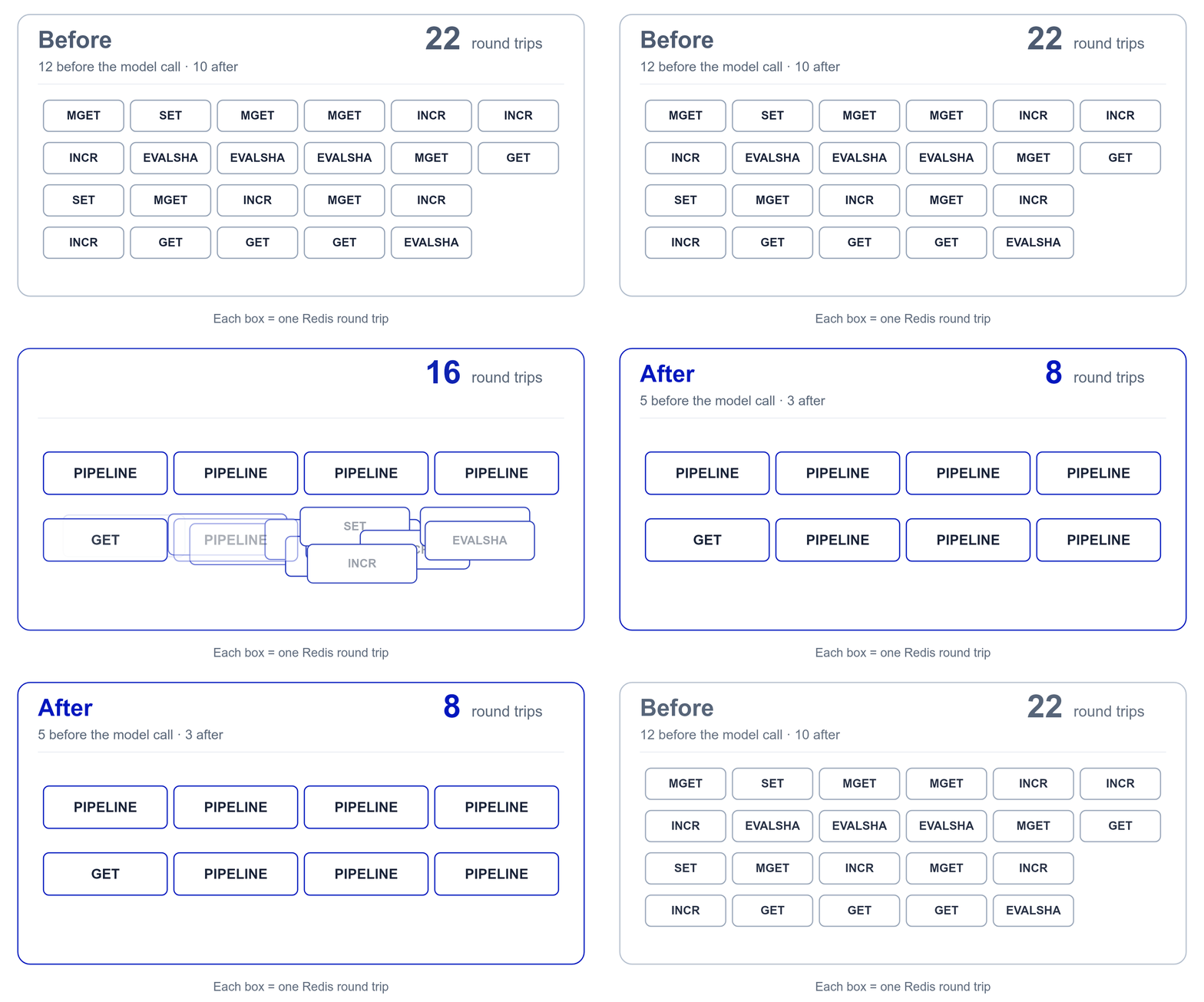
This week, we cut the number of times a request to the LiteLLM proxy waits on Redis from 22 to 8.
A request from a key with a budget, in a team with a budget and TPM/RPM limits, against a model group with usage-based routing and a Redis response cache, made 22 Redis round trips: 12 before the model was called and 10 after. The same request, with the same checks and the same writes, now makes 5 before and 3 after.
This week, we made the LiteLLM Usage page roughly 120x faster.
With 5,000 API keys, our Usage page took over six minutes to show 30 days of totals. We redesigned how it loads data and brought that down to 3.2 seconds in our benchmark. That's roughly 120x faster.
Last Updated: September 18, 2026
An Auto Router pays for classification before the selected model can answer. In our benchmark, TypeSafe JEV classified requests 5.43x as fast as Haiku, comparing median classifier latency: 126.81 ms versus 688.40 ms. Registry-priced classifier cost was 96.12% lower, rounded to 96% in the title
JEV matched our benchmark's expected tiers on 95.00% of calls, versus 73.75% for Haiku. That result depends on the prompts, tier definitions, instructions and context used here. The expected tiers were authored with the synthetic prompts, without independent review. This comparison does not establish general classification accuracy or the quality of the final answers
Auto-Router can move a conversation between tiers as the request changes from simple work to a harder task. Responses API clients can make that switch difficult because a previous response may include encrypted reasoning content that only the deployment that created it can decrypt
LiteLLM now keeps the readable history and removes encrypted reasoning that the newly selected tier cannot verify. The request can continue to the selected model instead of failing with invalid_encrypted_content
This fix is included in the LiteLLM v1.102.x release line and landed in PR #40280
Predict cache costs, set speed by tier, let teams manage routers, and see the chosen model and savings in your CLI.


A joint debugging story with LiteLLM, and the release testing that comes next.
A LiteLLM version bump exposed a long-standing Redis configuration bug that cut Pfizer's gateway throughput by ~48%, with zero HTTP errors in the application logs. Here's how the team isolated it through configuration bisection, and the testing infrastructure both teams are building to catch this class of regression before it ships.
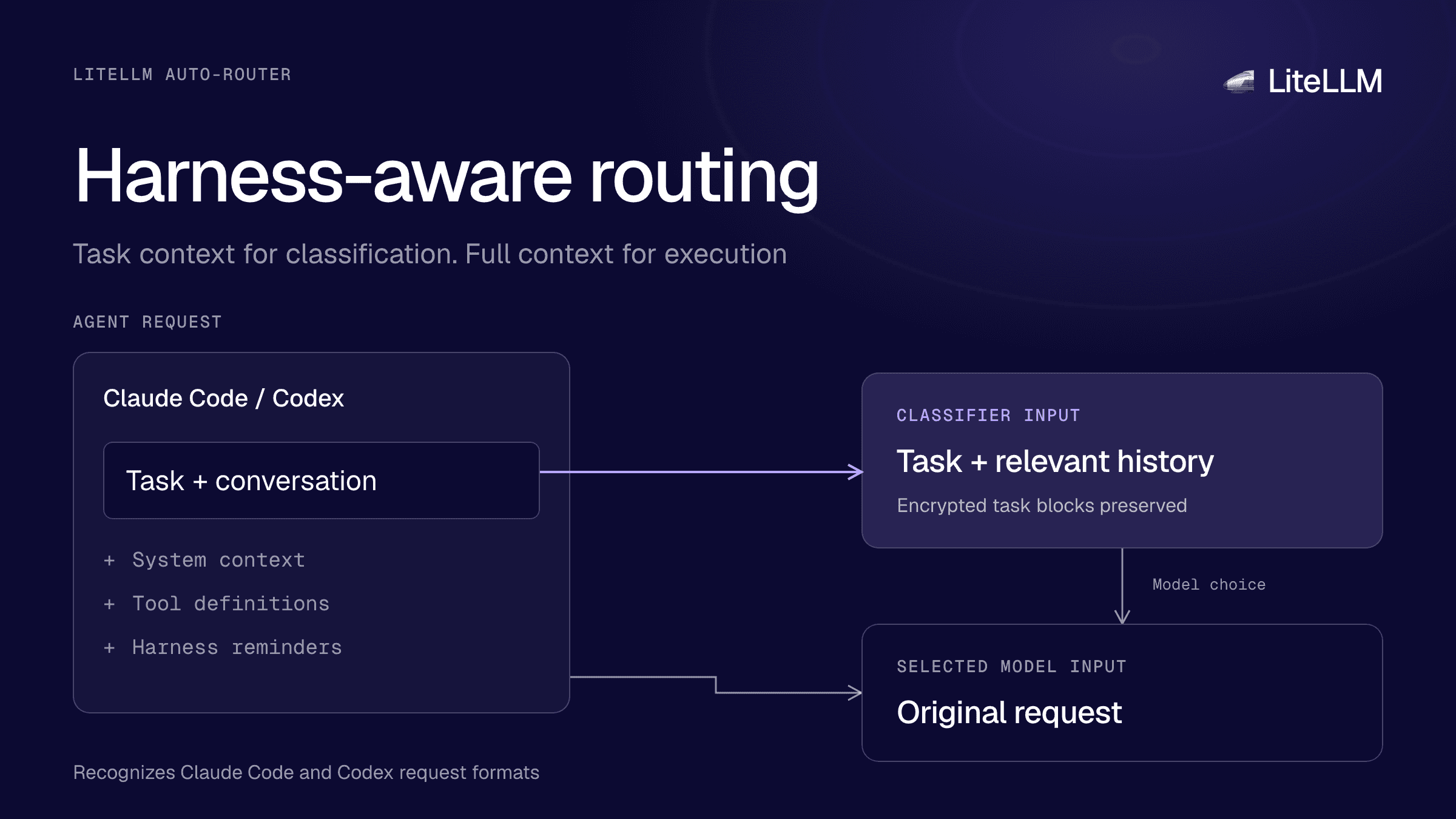
We've updated the Auto-Router to account for how Claude Code and Codex package requests. It now removes more harness context from classification, preserves encrypted delegated tasks, and shows exactly what the classifier received
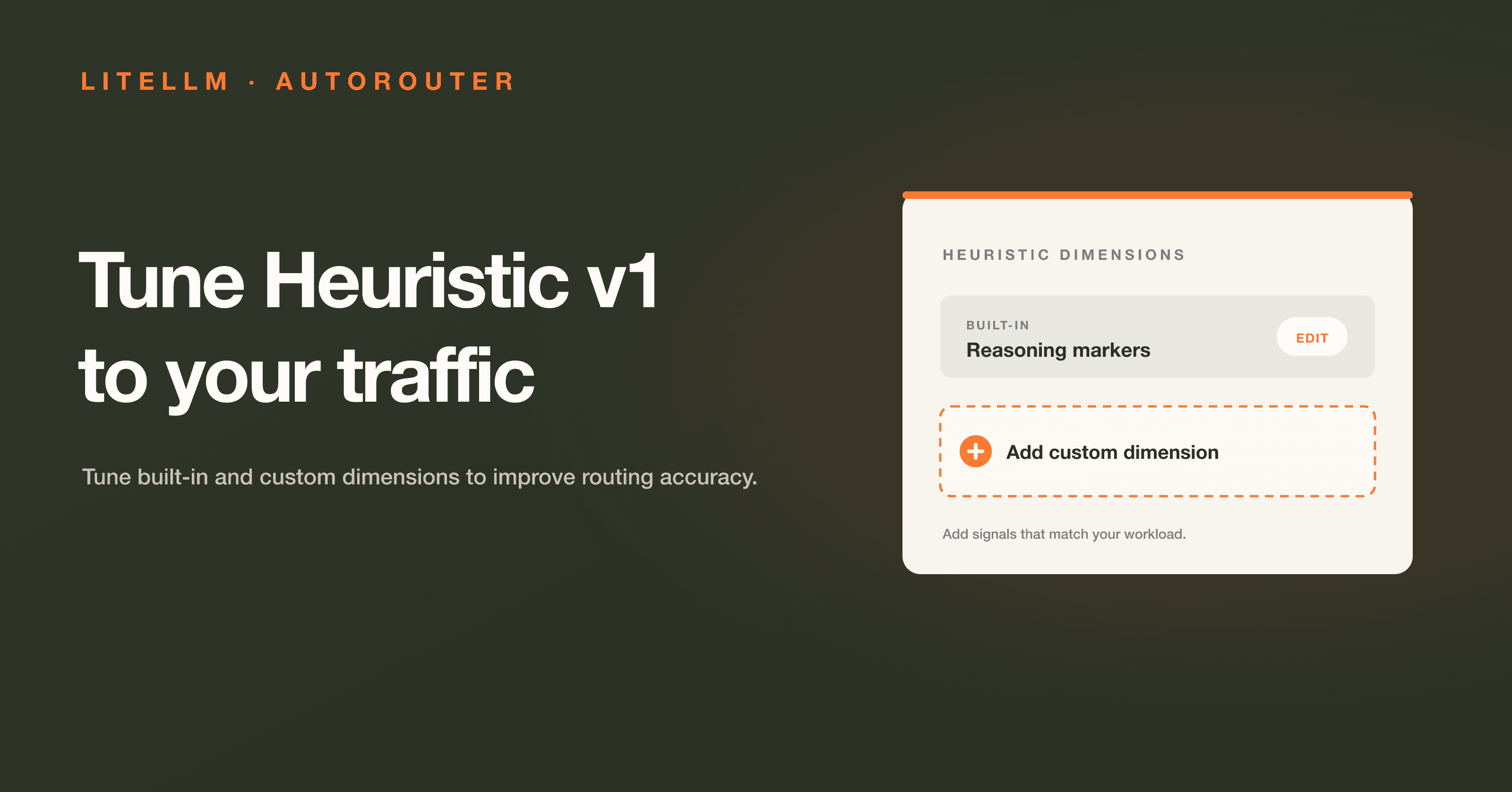
Heuristic v1 scores seven prompt signals, including reasoning language, code, technical terms, and prompt length. You can tune those signals for the traffic your router serves.
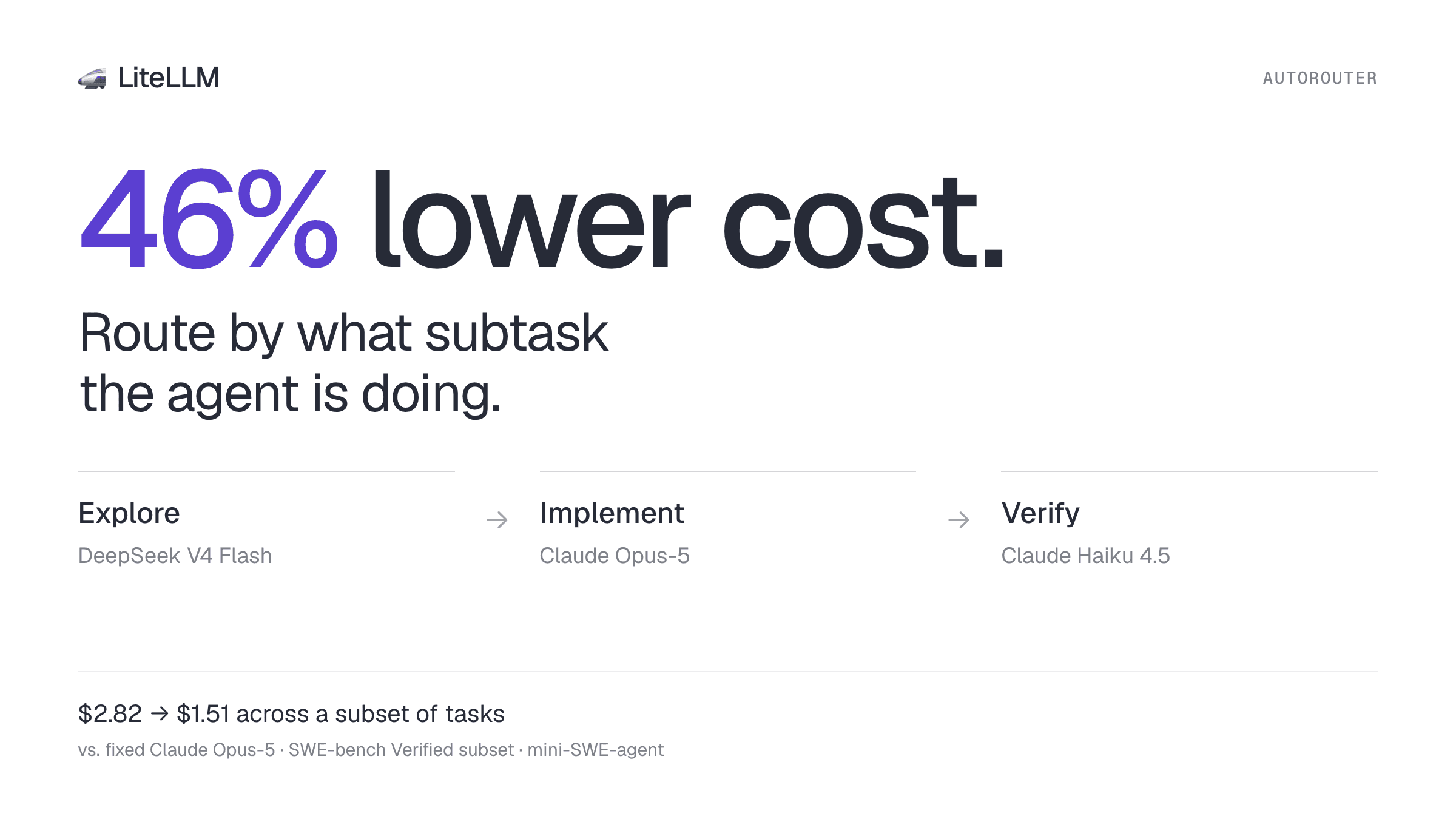
An experimental router that picks a model per agent phase matched fixed Claude Opus-5 quality on a SWE-bench Verified subset for 46% less money.
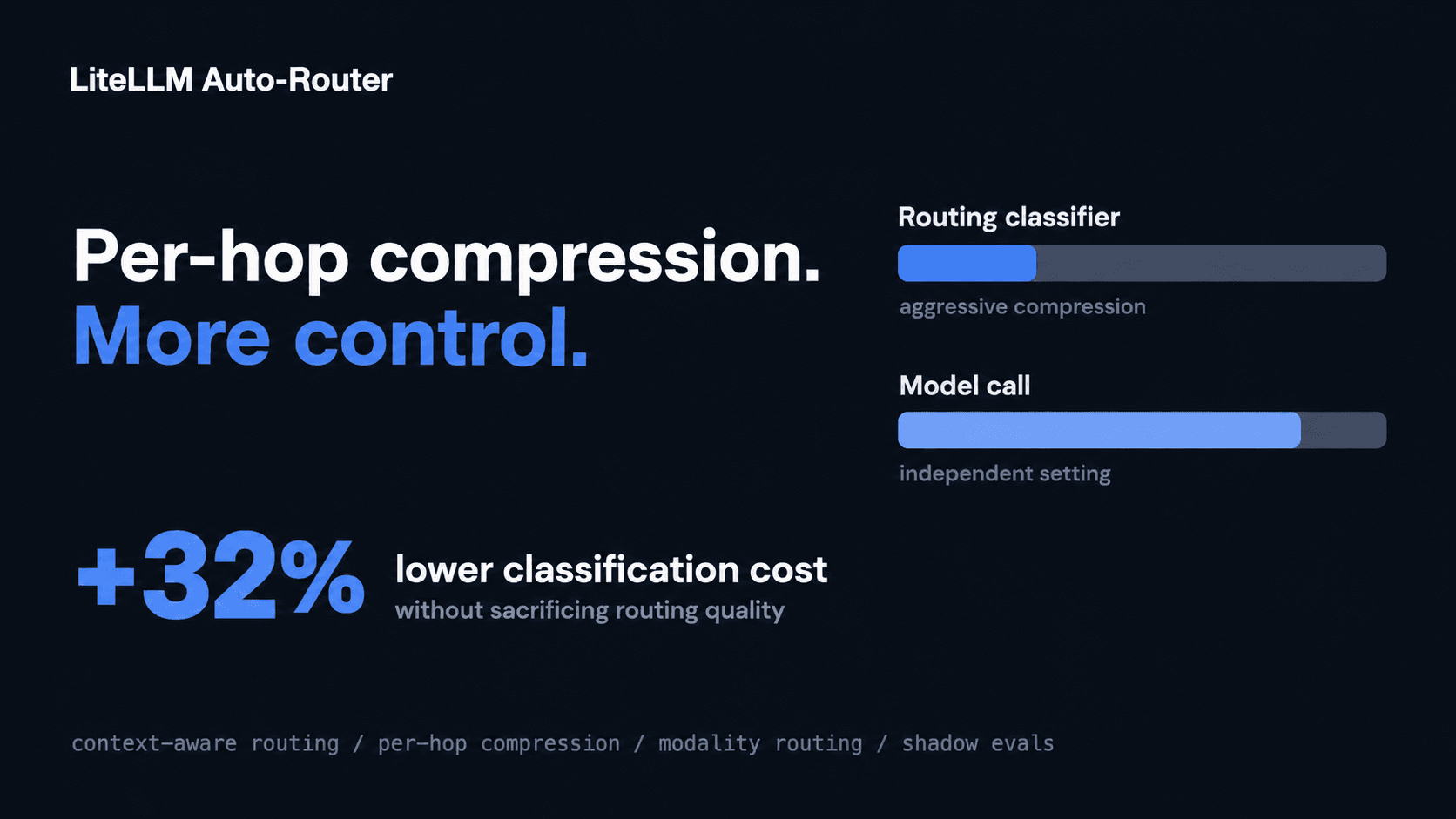
The complexity router's LLM classifier can now be compressed more aggressively than your model calls. In internal testing, that cut classification costs a further 32% beyond what shared compression was already saving, with no change in routing accuracy.

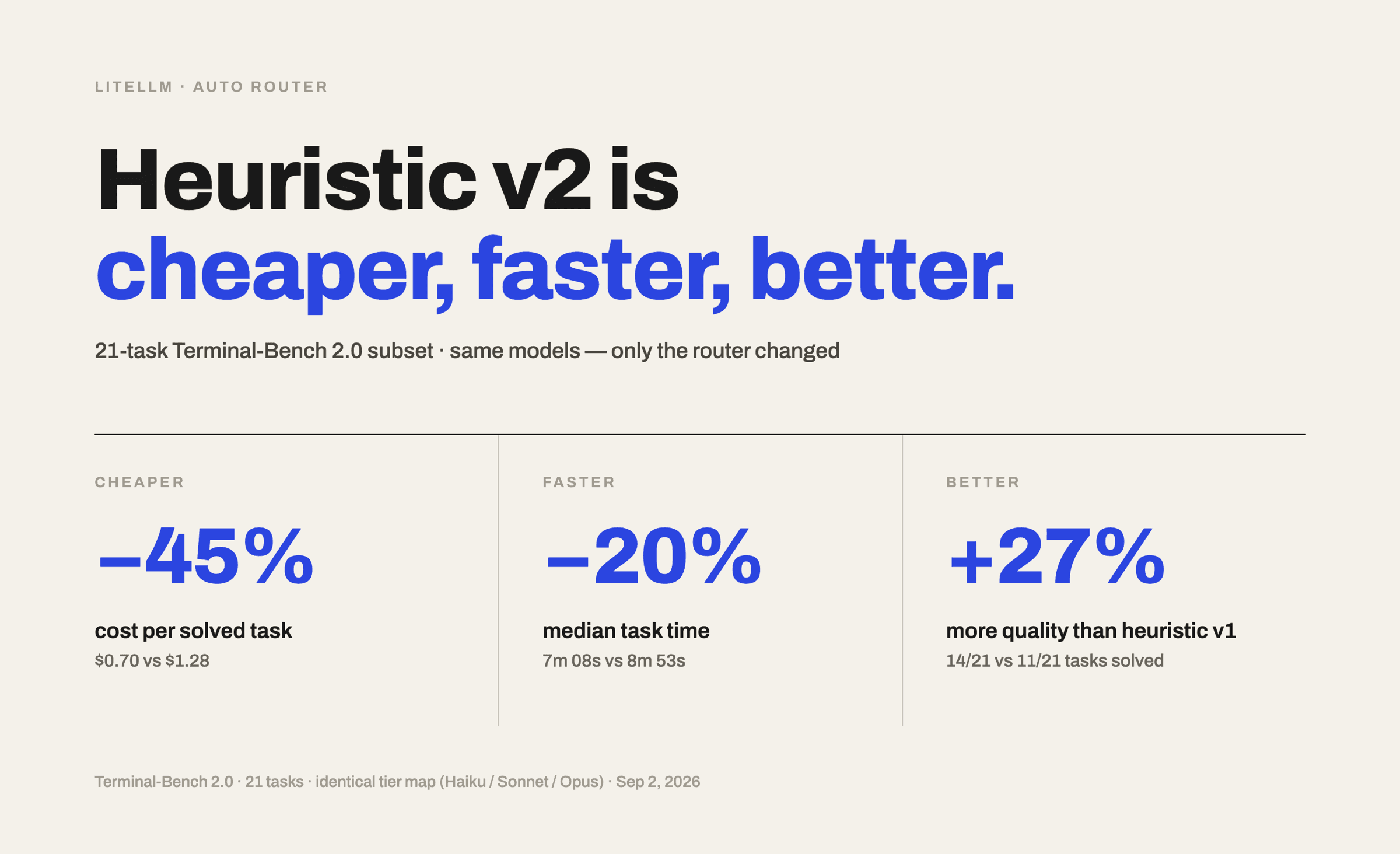
Heuristic v2, LiteLLM's new AutoRouter classifier, is up to 45% more efficient than Heuristic v1: more tasks solved, at lower cost, in less time. Only the classifier changed.
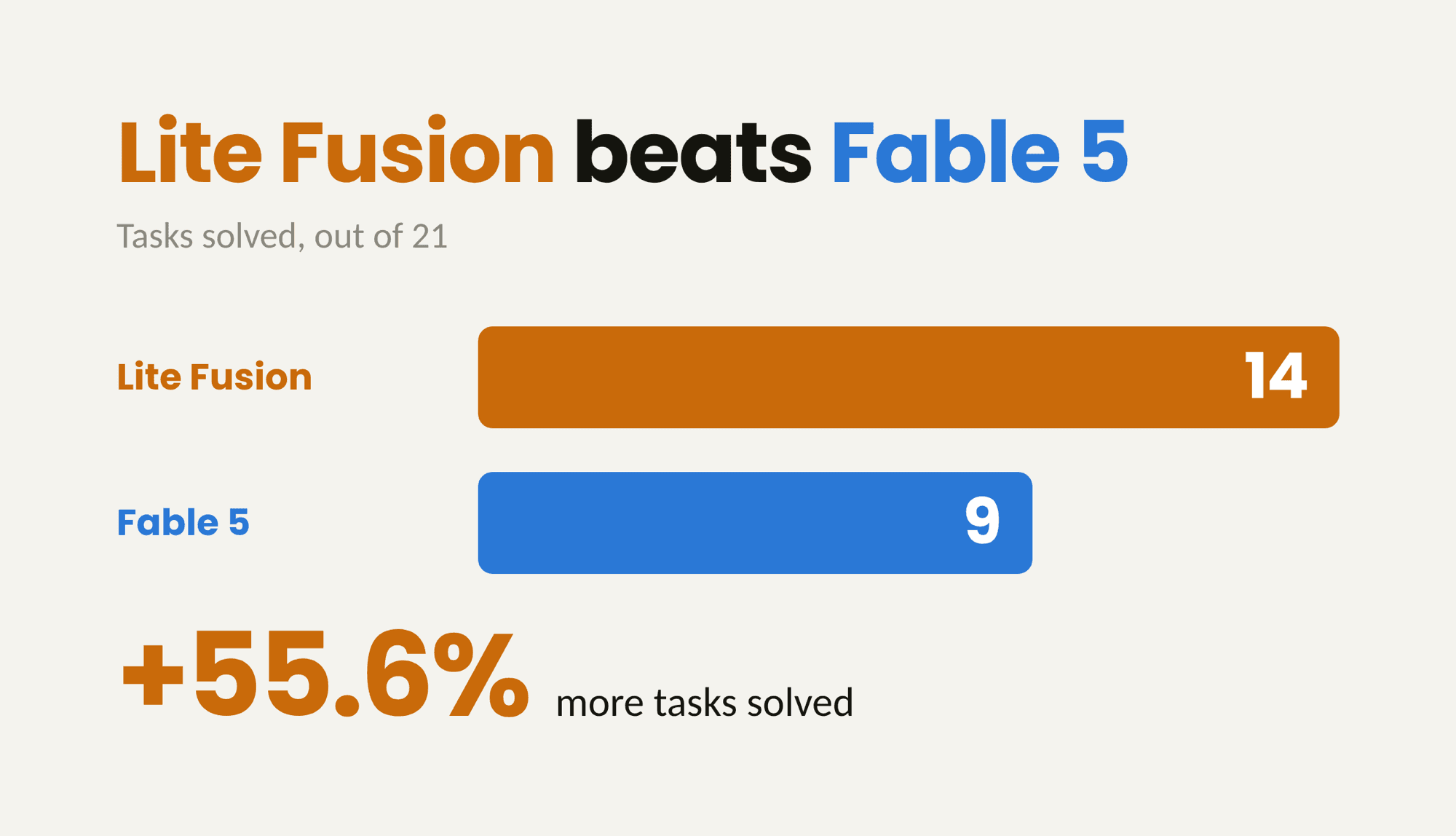
LiteLLM Auto Router Fusion solved 14 of 21 Terminal-Bench tasks; Claude Fable-5 on its own solved 9. Fusion runs the task on several models in parallel and has one of them synthesize the candidate work into a single answer. Both arms ran the same 21 tasks.
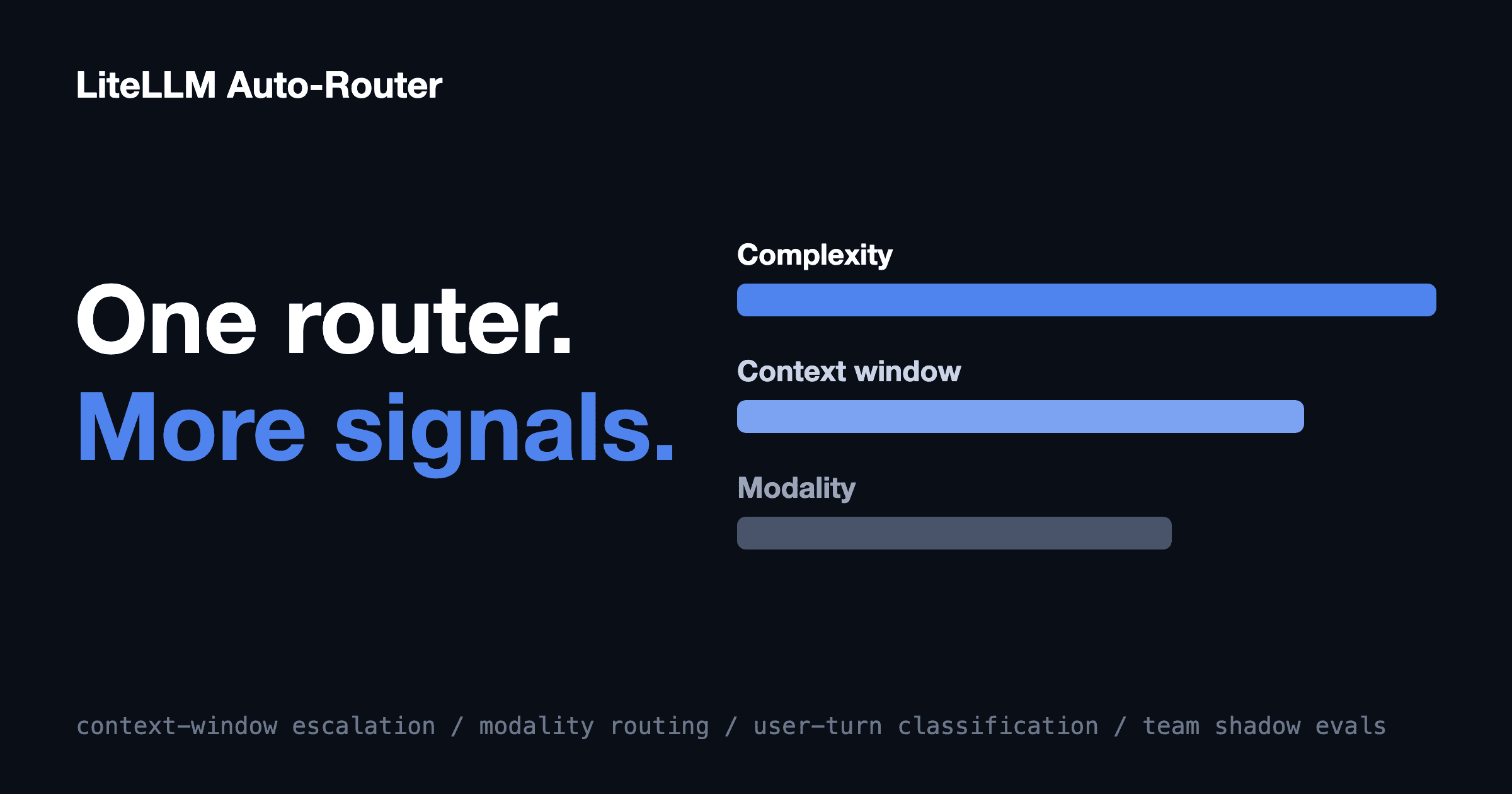
The Auto-Router picks a model by asking how hard the request is. This release adds the questions that come right after: does the request fit the model we picked, and can that model even see it?
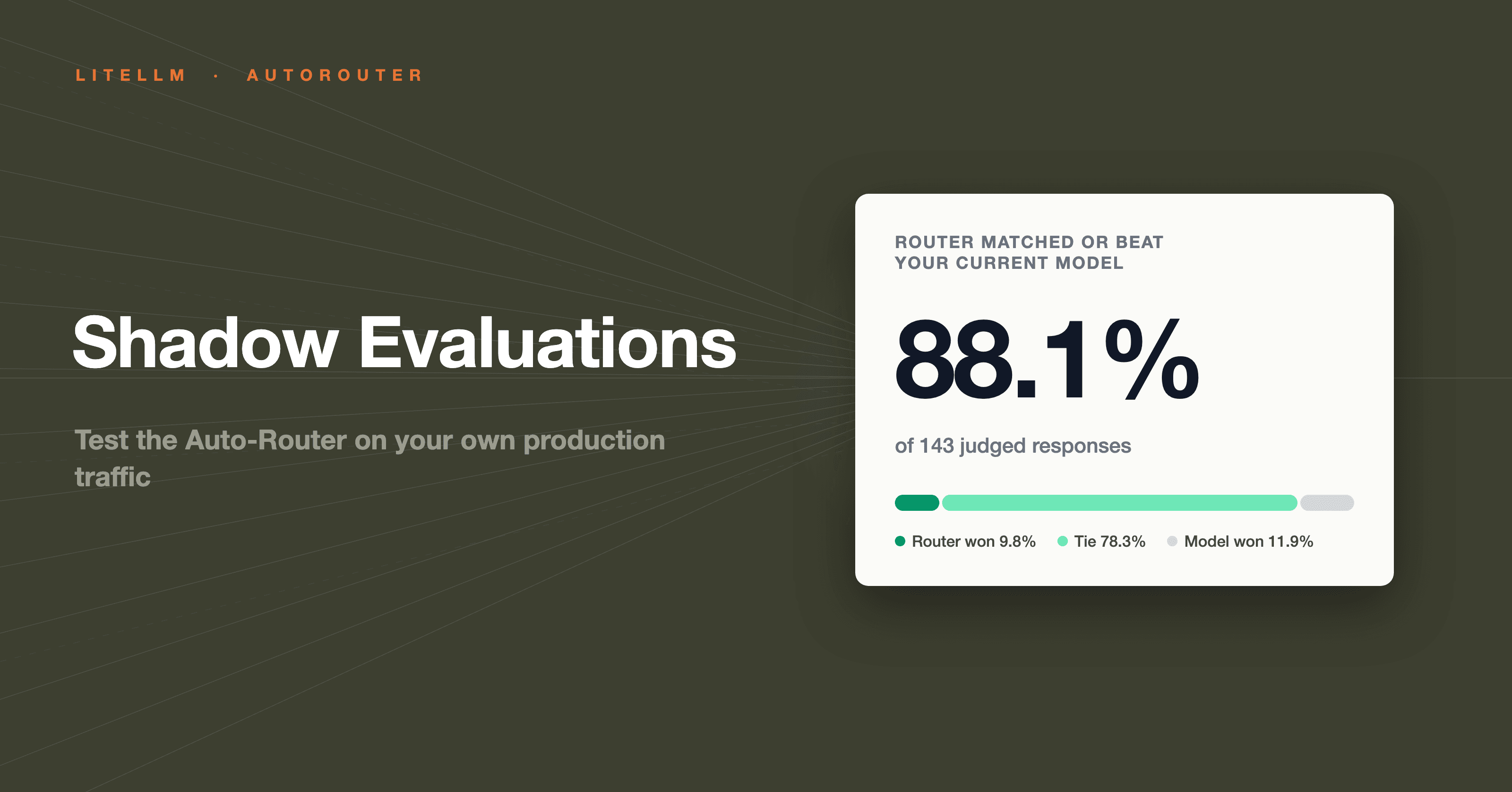
We have shown the Auto-Router saving 51% in production and 69% stacked on prompt caching. The question we hear next is always the same: "would it hold quality on my traffic?"
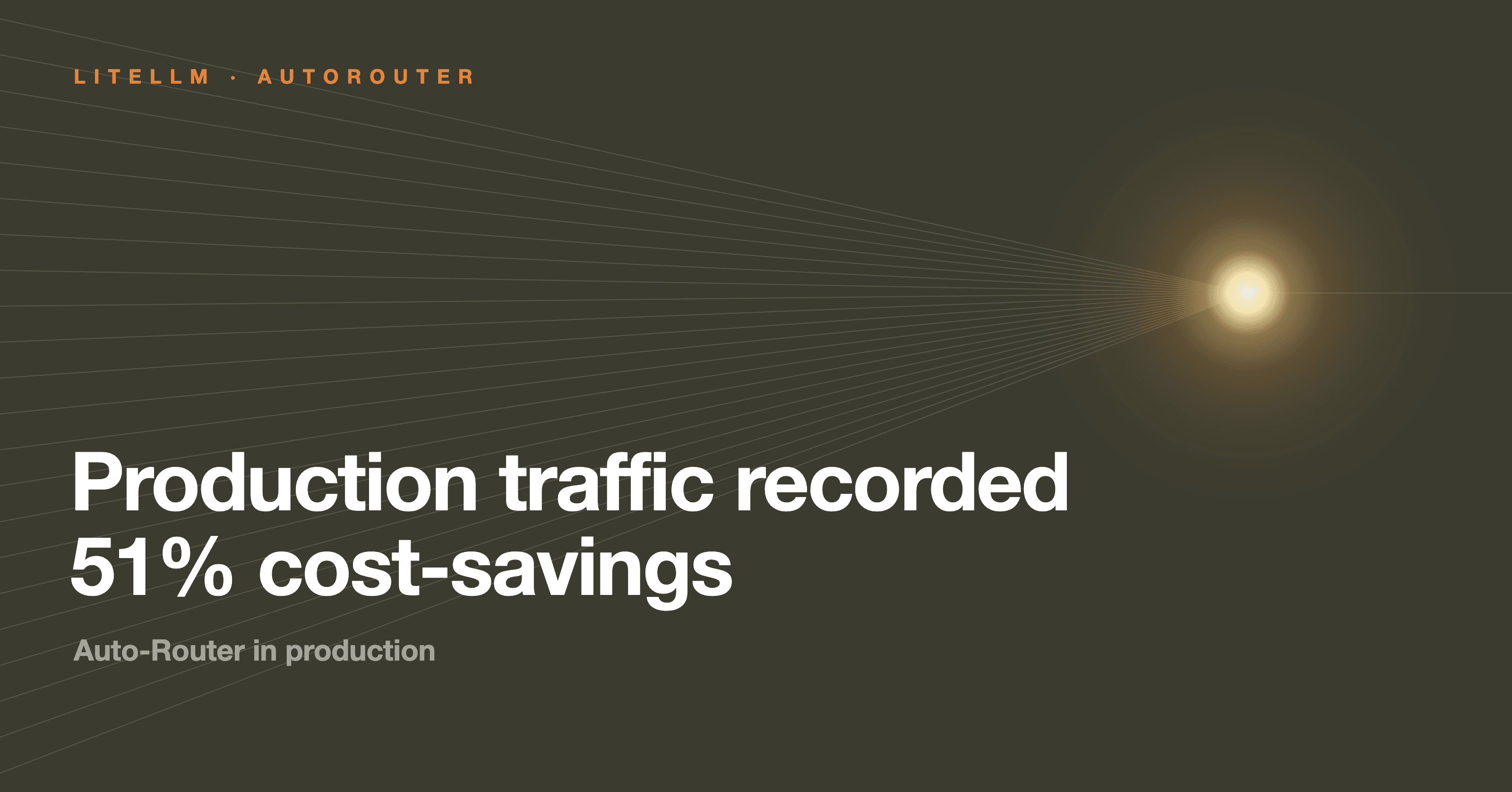
You can expect roughly 40% cost reductions from day one with the Auto Router, and more as the tier maps are tuned. One of our production users shared their statistics to show what that looks like at scale.
They rolled out the Auto-Router to 450+ users across dev, staging, and prod instances and saved $12,249 over 270k+ requests.
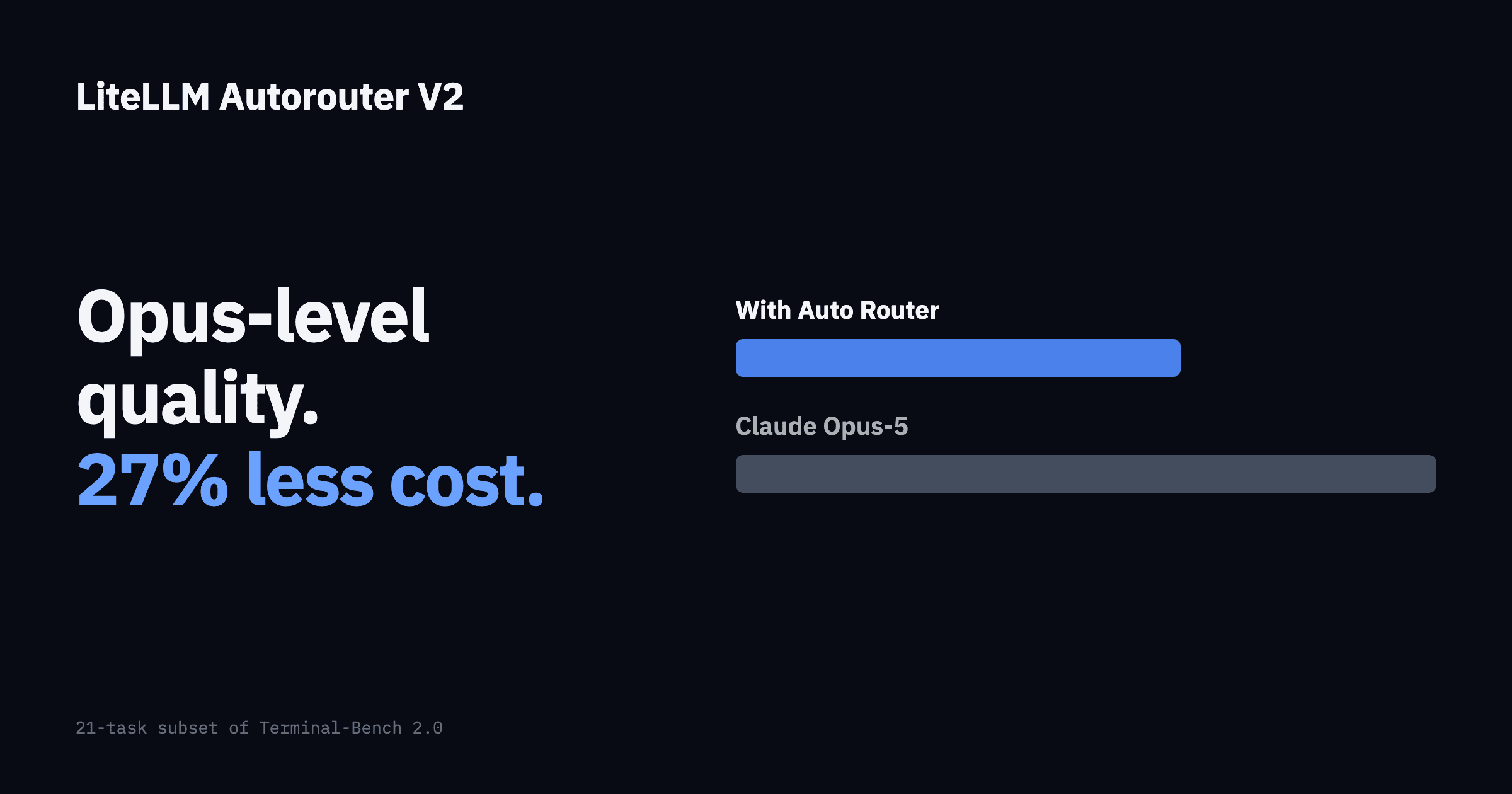
An auto router matched Claude Opus-5 solve rate on a 21 task subset of Terminal-Bench 2.0 at 27% lower cost. Every arm ran the same 21 tasks, so the comparisons are like for like.
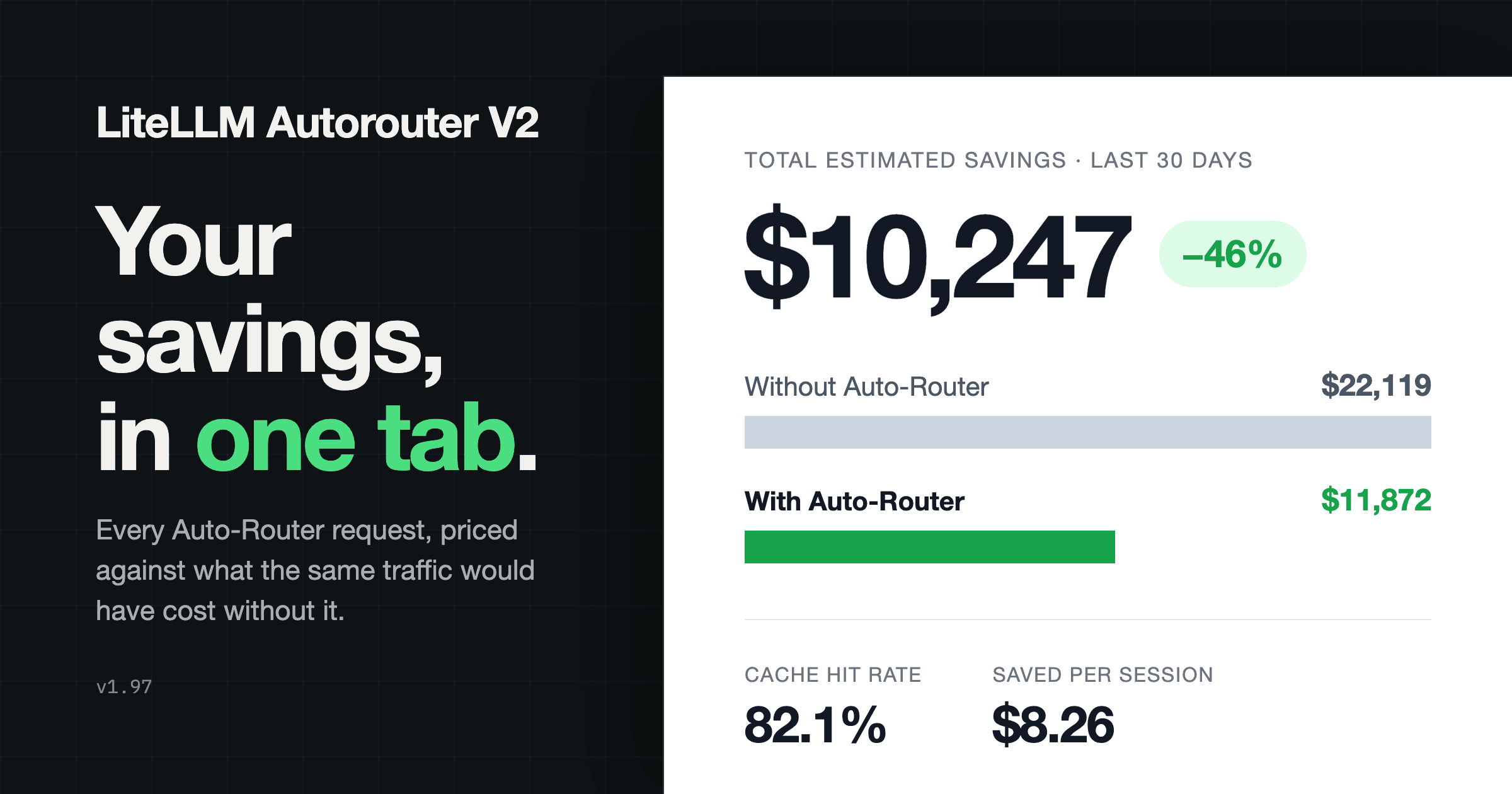
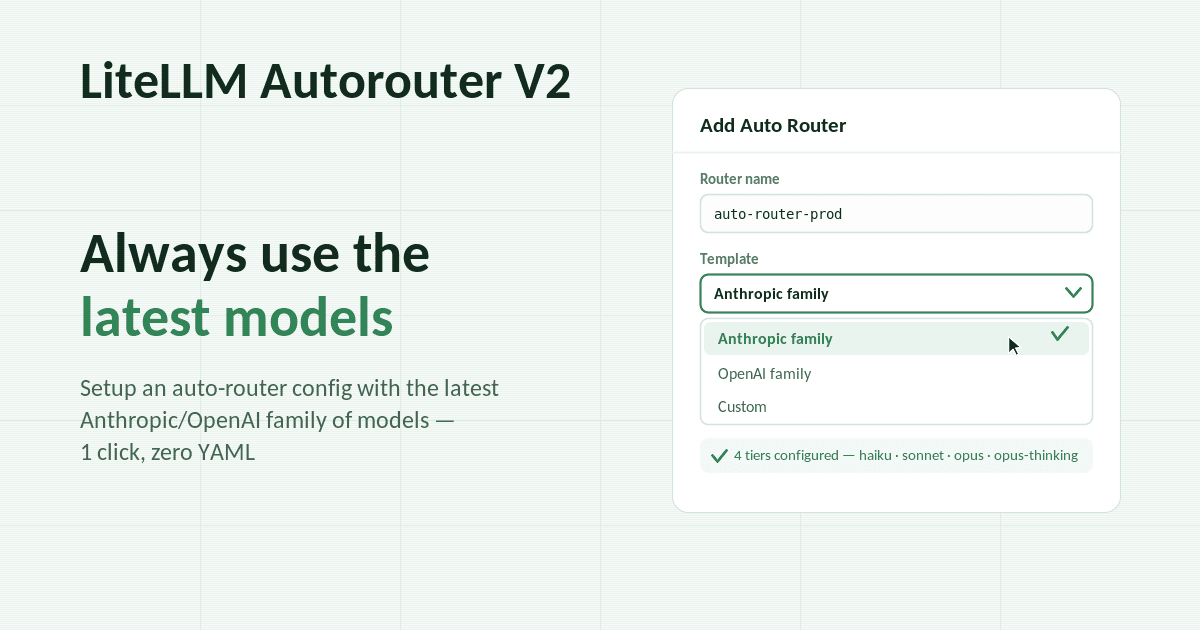
We've made it easier than ever to setup and test your Auto-Router, and with customizable tier names + classifier system prompts you can go beyond complexity routing.
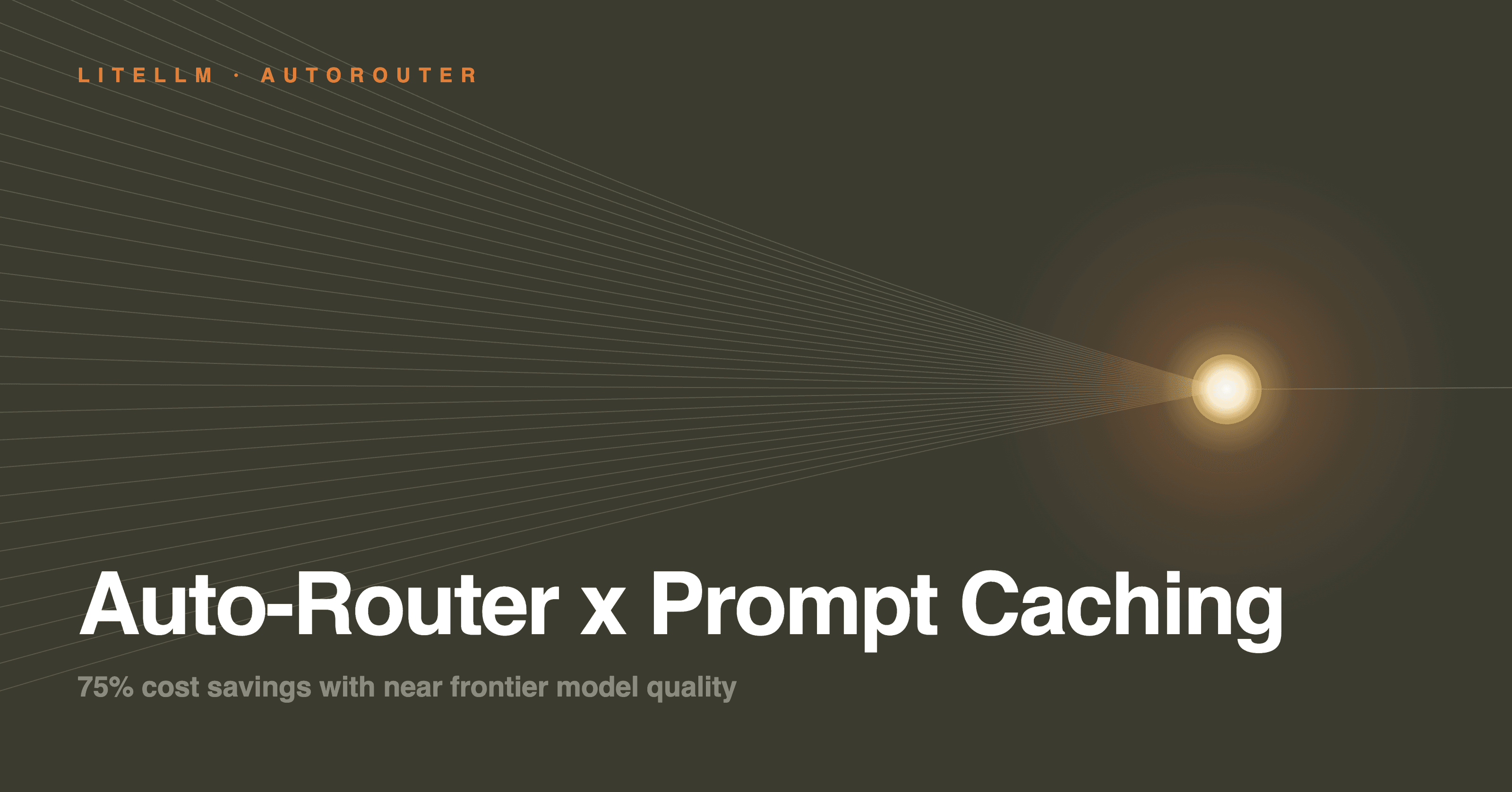
Yes, you can use prompt caching with Auto-Routing. The two compound rather than cancel out. We measured it across five datasets, two of which report what the provider's cache actually did.
Auto routing promises a smaller bill without a worse answer. We measured both halves against a baseline that sends every request to claude-opus-5: 8,619 graded prompts and cost simulations over 14,000 real conversations.
Last Updated: July 2026
We are launching an early beta of the LiteLLM AI Gateway in Rust, and we built AIGatewayBench to measure it against Portkey, Bifrost, and the current LiteLLM Python proxy. Across all four, the LiteLLM Rust gateway has the lowest p99 added latency and the smallest memory footprint by a wide margin: roughly 7x lower overhead and 9x less memory than the next-closest gateway (Bifrost), the lowest cost footprint, and the fastest whole-session times for coding agents. It holds its own on raw sustained throughput and pulls decisively ahead on overhead, memory, and cost.
Last Updated: June 2026
Over the past year, we have heard the same thing from our users and our community: they want the fastest, most lightweight AI gateway they can run. We have heard you. We are addressing it by moving LiteLLM to Rust, and committing to sub-1ms overhead with a sub-100MB memory binary you can deploy. By the end of this migration, you will get a pure Rust server that can serve 100% of your AI traffic, with every hot path operation, including auth and rate limiting, running in Rust.
We are opening an early beta and want to work directly with teams who care about a fast, lightweight gateway. If that is you, sign up here and we will get you testing the Rust gateway in your own stack, with a direct line to our team.
The reason it matters: under real load, CPU and memory climb with concurrency, and pods get OOM-killed at the worst time. Today the LiteLLM Python proxy peaks around 359MB of memory under load, and that cost multiplies across every pod, region, and retry you run.
We are already seeing the payoff in benchmarks. The Rust gateway serves about 15x the throughput (453 to 6,782 requests per second) on about 11x less memory (359MB to 32MB), and cuts per-request overhead from about 7.5ms on the Python path to about 0.05ms, well under the 1ms we commit to.
You deploy a single Rust binary. It uses about 65MB of memory, gateway overhead stays under 1ms, and nothing in your setup changes: same config.yaml, same database, same client API, same providers. You keep LiteLLM's coverage of 100+ LLM providers behind one OpenAI-compatible API, with /chat/completions, /messages, /responses, and every other LLM endpoint LiteLLM supports today, now as the fastest and most lightweight LLM gateway you can self-host.
This is not a v2 and not a rewrite. There is no new major version to migrate to and nothing for you to change. The runtime under the hot path gets faster and lighter while your config stays exactly where it is.
We ship this the careful way. Each route moves to Rust only after it passes our full parity and end-to-end test suite, and it runs in production before the next route starts. Stability is the priority, and we target zero regressions on every release.
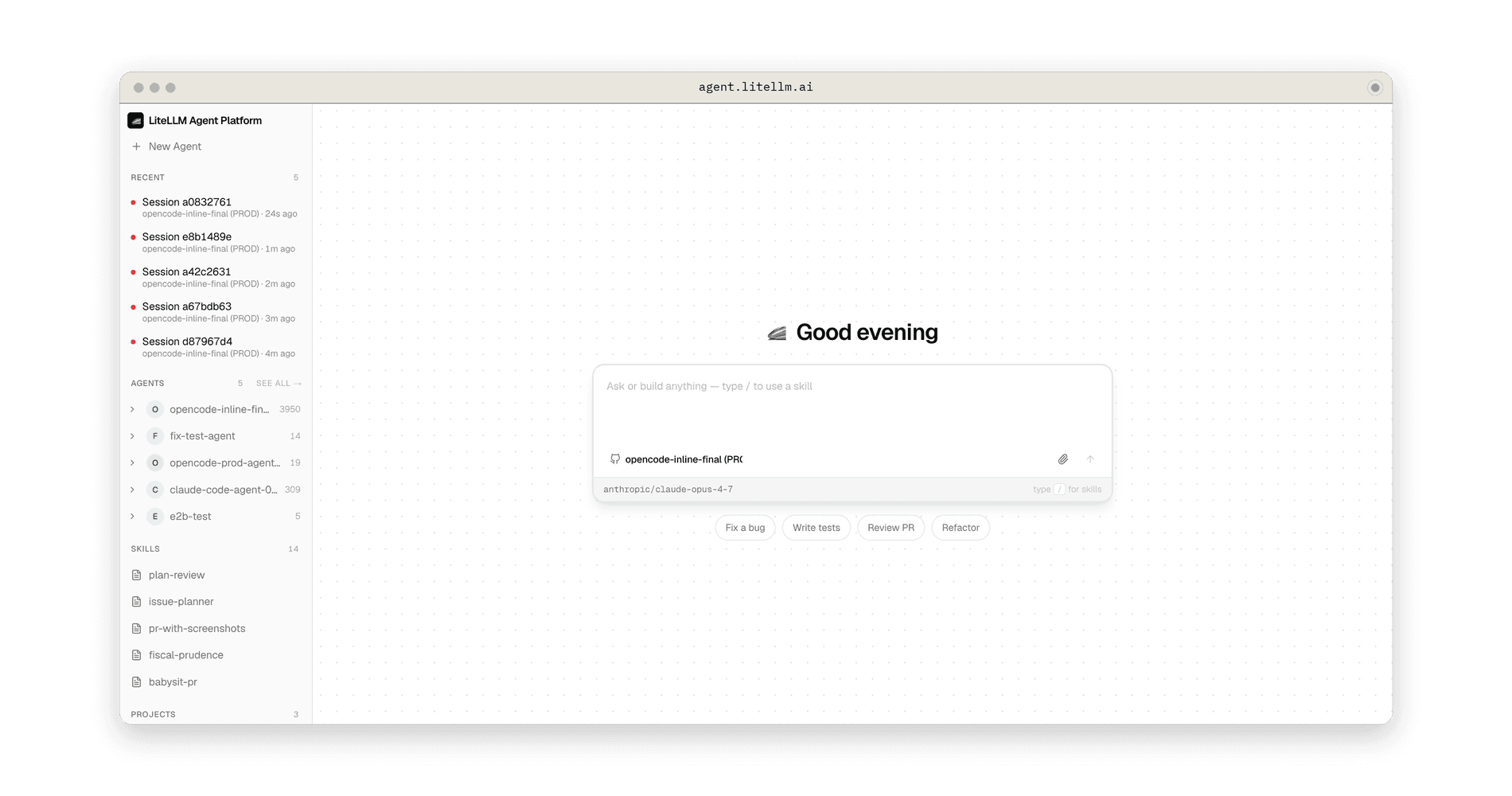
The platform we built is open source. Check out litellm-agent-platform. The swappable harness layer is lite-harness.
Building the same thing inside your company?
Our goal was to 10x the productivity of our company with agents.
Three weeks ago we began building an agent that could own 30% of our engineering tickets. Here's what we've learnt so far.
Last Updated: April 2026
Enterprise AI Gateway deployments put Redis in the hot path for nearly every request: rate limiting, cache lookups, spend tracking. When Redis is healthy, the latency contribution is single-digit milliseconds, invisible to end users. When it degrades, a production AI Gateway needs to stay up regardless.
Running LiteLLM at scale across 100+ pods means designing for failure modes before they appear. The easy case is Redis going fully down: fail fast, fall through to the database, continue serving requests. The hard case, the one that takes down gateways, is a slow Redis: still accepting connections, still responding, but timing out after 20-30 seconds per operation.
The CI/CD v2 is now live for LiteLLM.